← All features

Local scan

Paste local, see who is dangerous and who is a friend

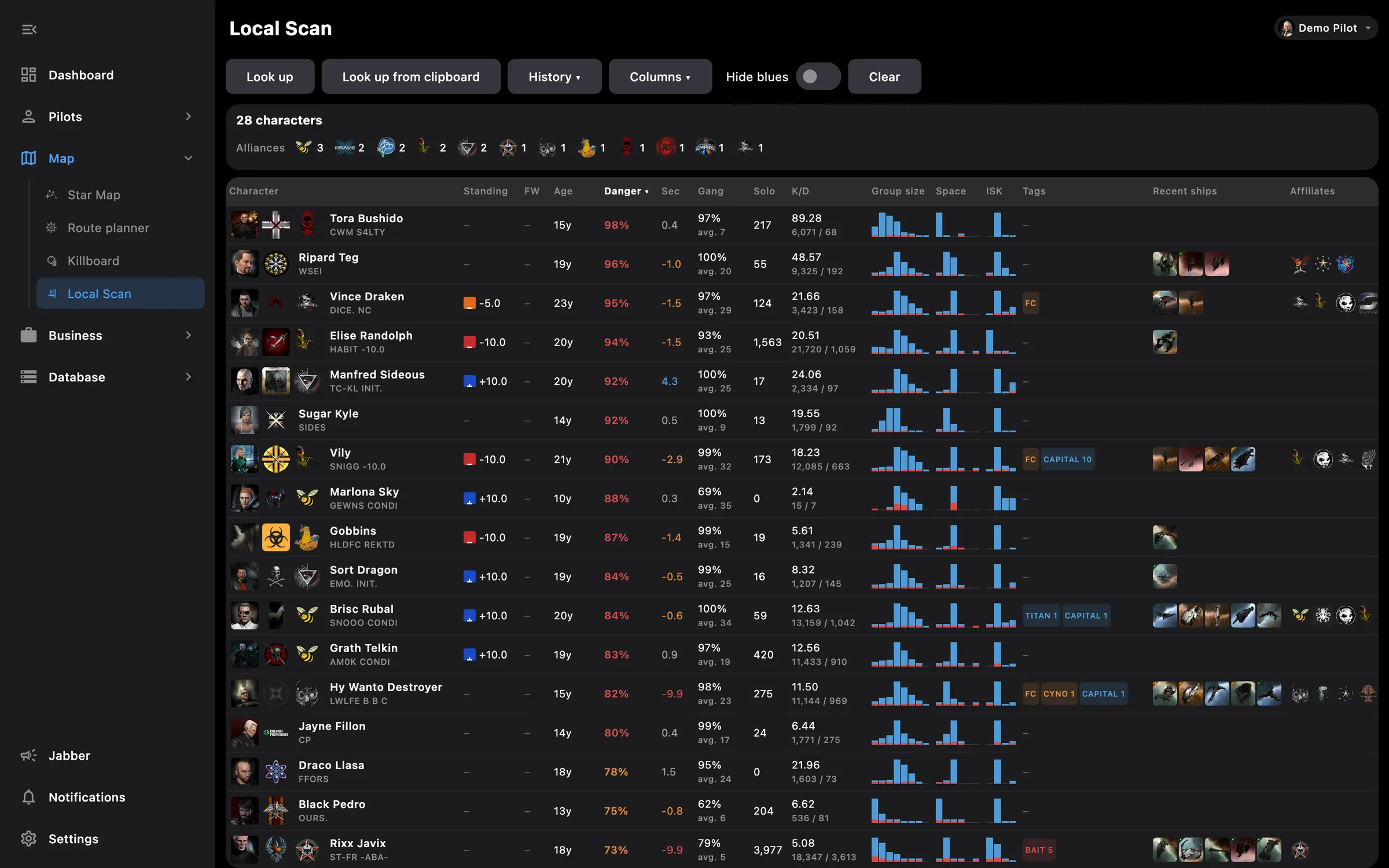
Local scan table with danger and tags
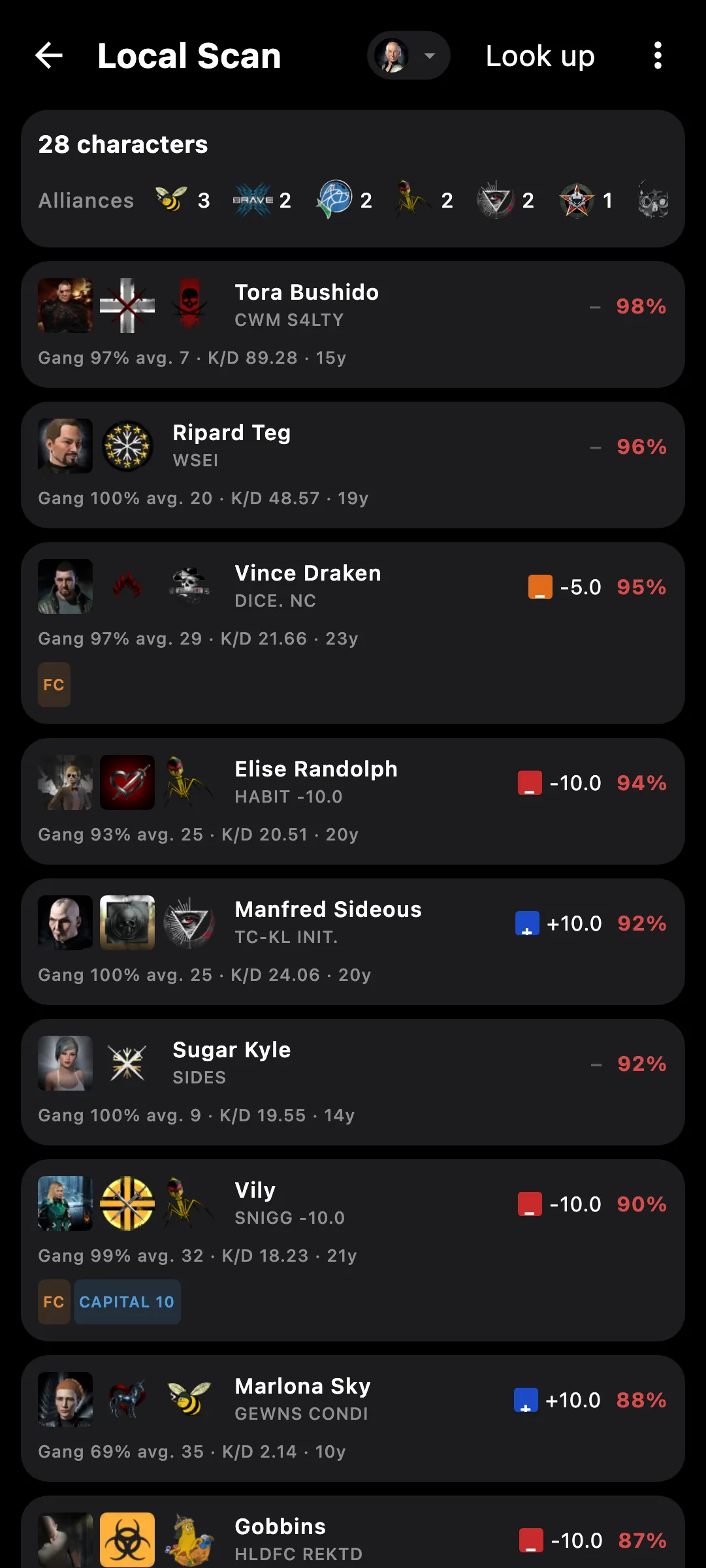
Local scan on a phone

What you get

Copy local in the game, paste it here, and know in seconds whether to stay. Every pilot gets a row with their kill history and habits from zKillboard, and your own standings decide who is blue. Works on the phone and the PC.

  • Danger, kills, losses, solo kills, K/D and usual gang size for every pilot
  • Where they fight: high, low, null or wormhole space, and the ISK of their recent kills
  • Recent ships with icons; tap a ship for the item, tap a portrait for the pilot
  • Tags straight from zKillboard: FC, cyno, bait, black ops, logi, ganker, awox, rookie
  • Affiliates: the alliances a pilot flies with most, shown as logos
  • Your standings from the character you pick, with a Hide blues switch
  • Header counts by alliance and faction; tap a logo to filter the table to that group
  • History of the last 30 pastes; a repeated paste merges in without clearing rows
  • Sortable columns, and extra columns such as cyno, FC and bait you can switch on
  • On the PC the app can watch the clipboard, so a copy in the game is enough

zKillboard limits how fast it answers. When it does, the header shows a countdown and a Retry button for the rows that failed.

Access needed

Works without any access. Grant these to a pilot to get more:

  • Contacts and standings — Contacts, standings and alliance contacts

You pick the areas when you log a pilot in and can add more later on the Access screen. How access works →

How to use it

  1. In the game, click into the Local member list, select all and copy
  2. Open Local Scan: in the Battle section, or from the icon in the PC's intel panel
  3. Press Paste; names resolve first, then each row fills in as zKillboard answers
  4. Tap a row for the tag explanations, a logo in the header to keep only that alliance or faction
  5. Pick the character whose standings to use, and switch Hide blues on to see only the rest

Phone and PC

On the phone — a compact card per pilot with the main numbers; tap a card to expand it to the full set of columns and the tag explanations.

On the PC — one dense table with sortable headers, mini bars for gang size and space, and a clipboard watcher so a copy in the game is enough.
See also

Something missing? Recent changes are in the patch notes, and you can ask on Discord.