← All features

Fitting simulator

DPS, EHP, capacitor, eight graphs, projected effects and a price optimizer
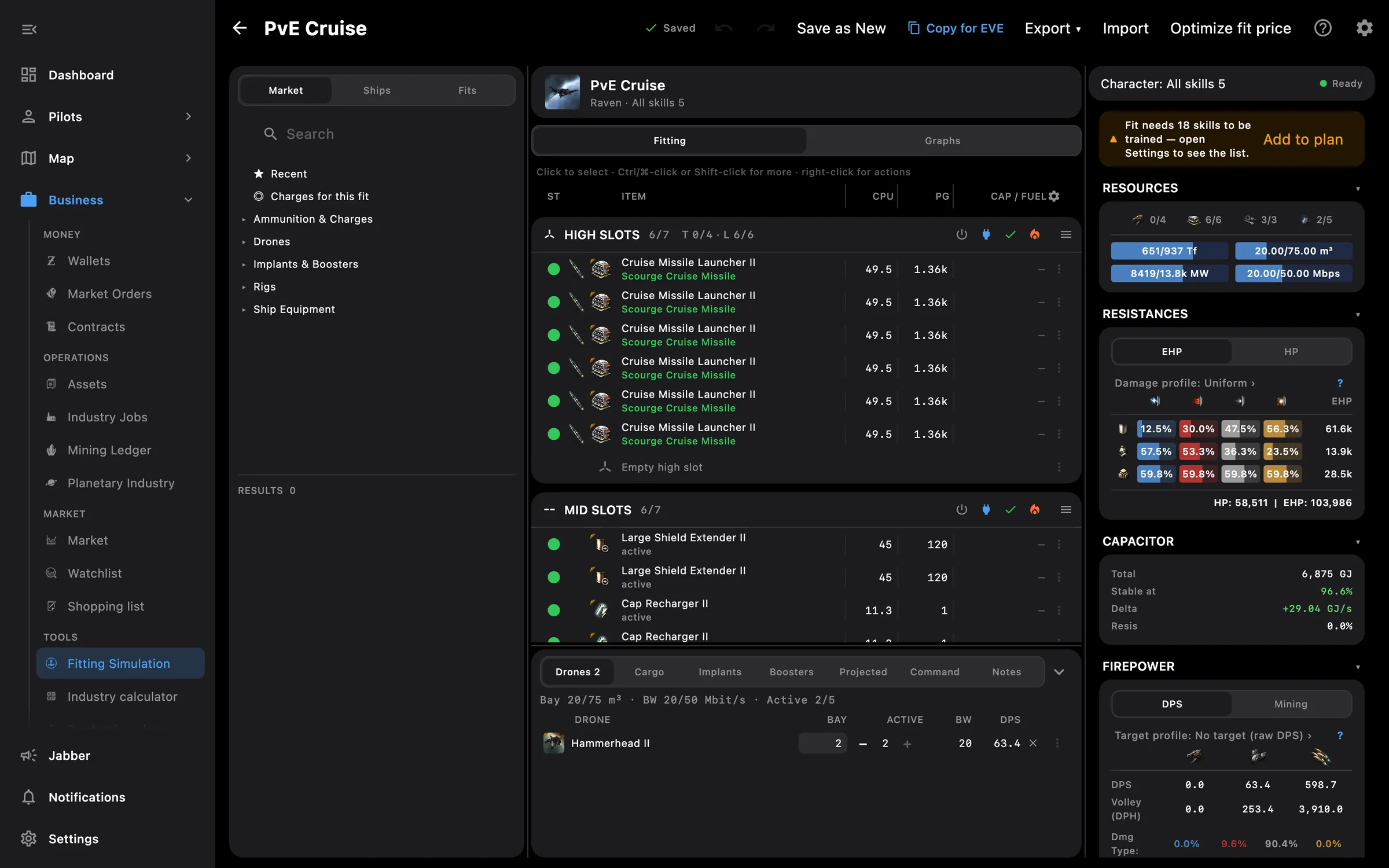
Fitting workbench on desktop: market, rack tables and stats
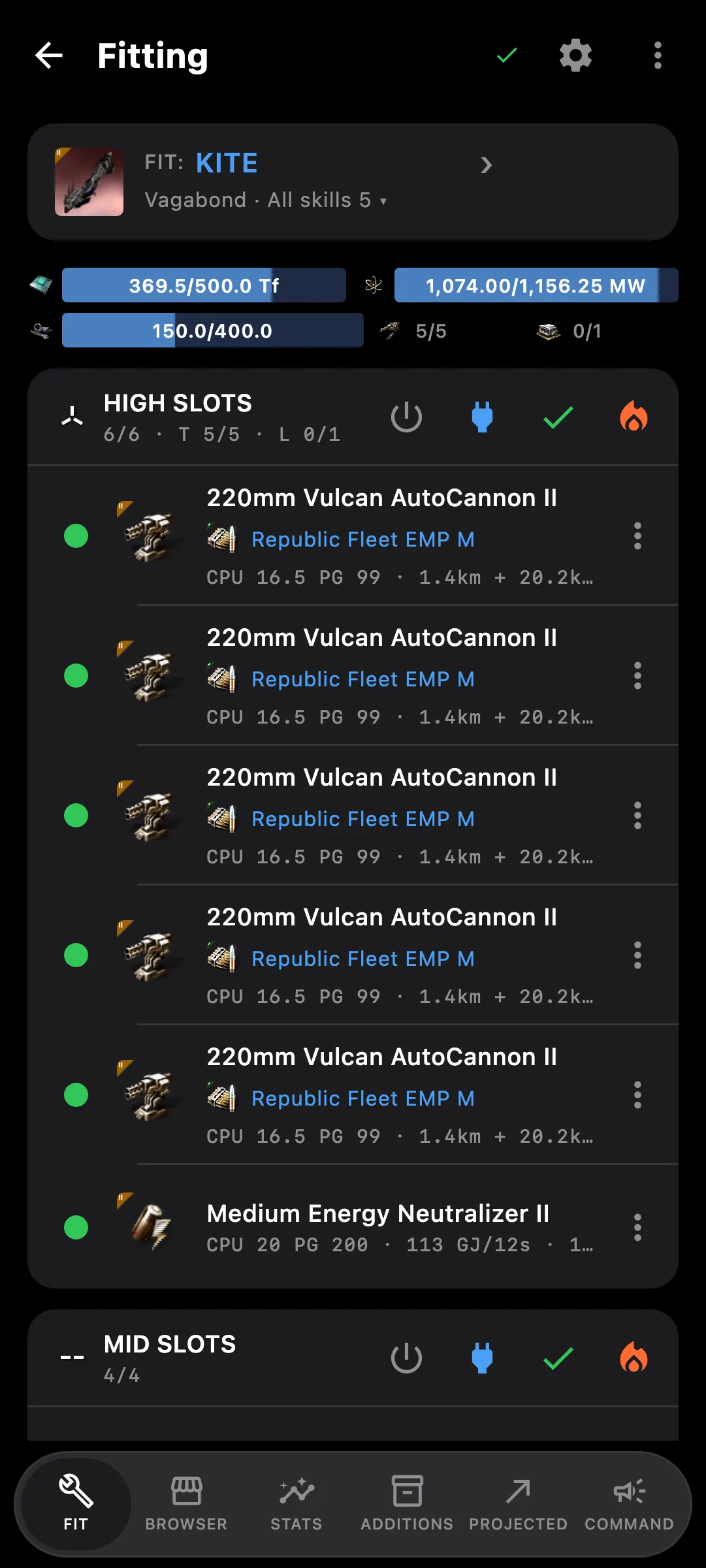
Fitting editor on a phone

What you get

A full fitting workbench on the PC, built for the mouse, and a touch-first editor on the phone. Built-in Help explains every panel, profile and graph.

  • Accurate DPS, EHP, capacitor, speed and resources, including fighters, boosters, command bursts and spool-up
  • Damage and target profiles, projected webs, neuts, ECM and remote reps, wormhole and abyssal environments
  • Eight graphs: damage, capacitor, EWAR, remote reps, shield, speed, warp, lock time
  • Compare variations of a module side by side, and fill every compatible slot with the best one
  • Your ESI fits, implant and skill presets, implants from your clones; missing skills go to a skill plan
  • Import EFT, DNA and killmails; Copy for EVE to paste into the game
  • PC: right-click menus, keyboard shortcuts, undo, resizable columns and Optimize fit price
  • Modules the hull cannot take are refused with the reason, in new and imported fits alike

Access needed

Works without any access. Grant these to a pilot to get more:

  • Fittings — Saved fittings, read and write
  • Skills — Skills and the training queue
  • Clones and implants — Jump clones, implants and jump fatigue

You pick the areas when you log a pilot in and can add more later on the Access screen. How access works →

How to use it

  1. Open Fitting; the list shows your local fits and, for a signed-in pilot, the fits saved in EVE
  2. Start a new fit by picking a ship by class, or import an EFT or DNA fit from the clipboard
  3. Add modules, charges, drones and fighters; the stats update as you go
  4. Pick a damage or target profile, project webs or reps, and open the graphs
  5. Save the fit to EVE, or press Copy for EVE and paste it into the game

Phone and PC

On the phone — a touch-first editor with a bottom bar, quick actions on a long-pressed module, and burnout time for overheated modules.

On the PC — a workbench with market, fit and stats side by side, right-click menus, keyboard shortcuts, undo, resizable columns and Ctrl+V to import.
See also

Something missing? Recent changes are in the patch notes, and you can ask on Discord.