← All features

Reaction planner

Which reactions pay, what to put in your free slots, and what your stock can make
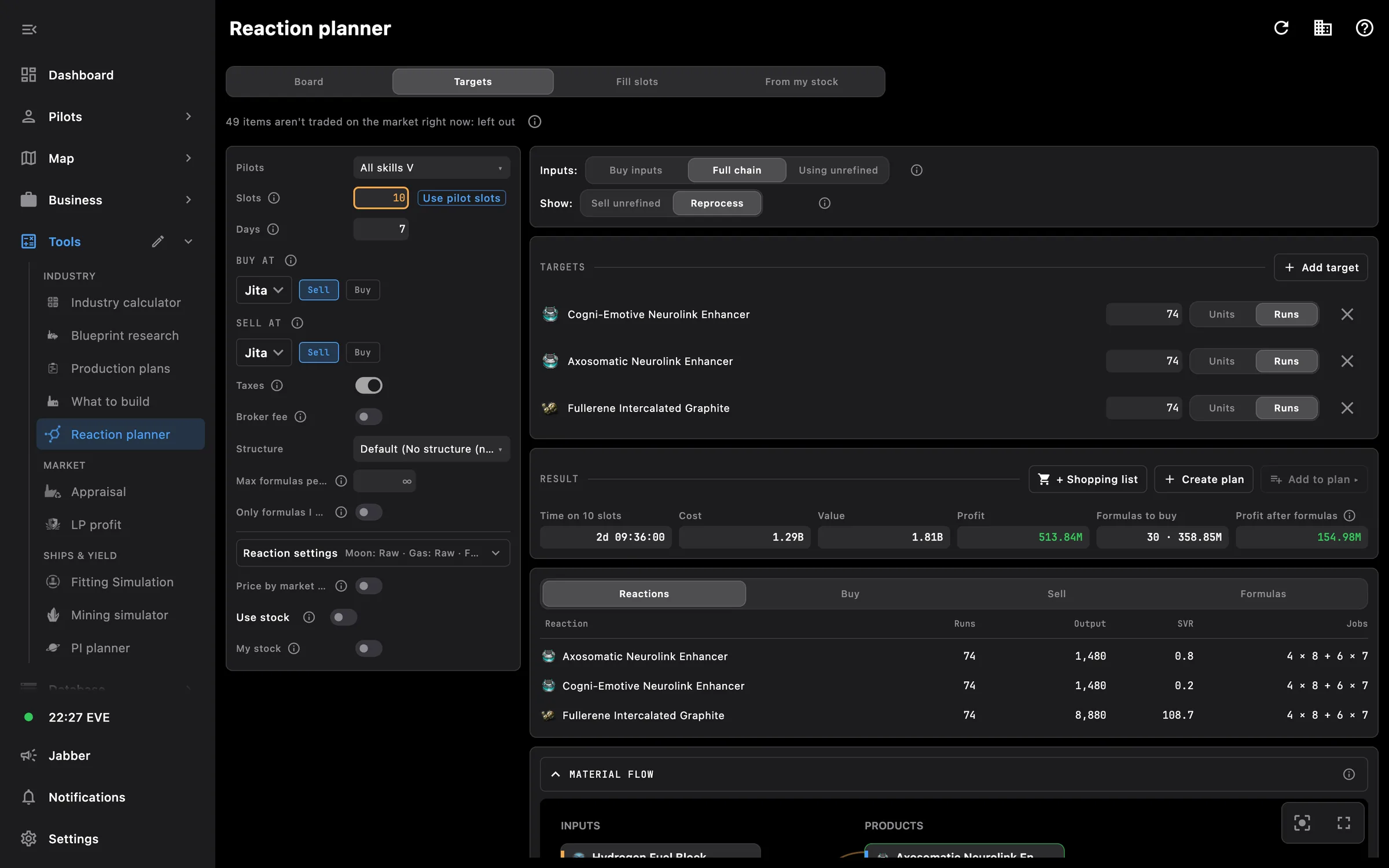
Reaction planner: a plan for the chosen reactions with jobs, inputs and profit
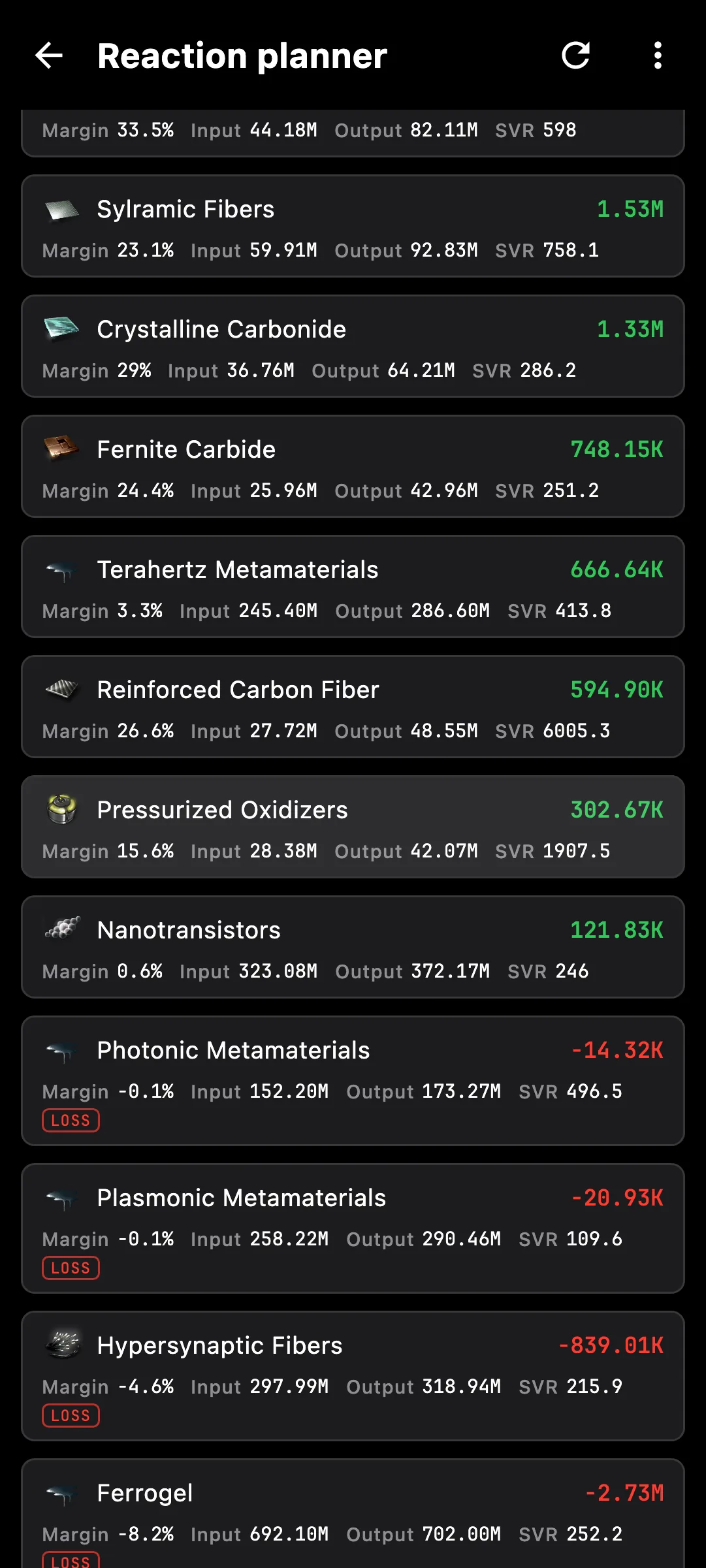
Reaction planner on a phone

What you get

Moon, gas and composite reactions ranked by what one slot earns in a day, with the whole chain priced for your structure, your skills and the market hub you trade at.

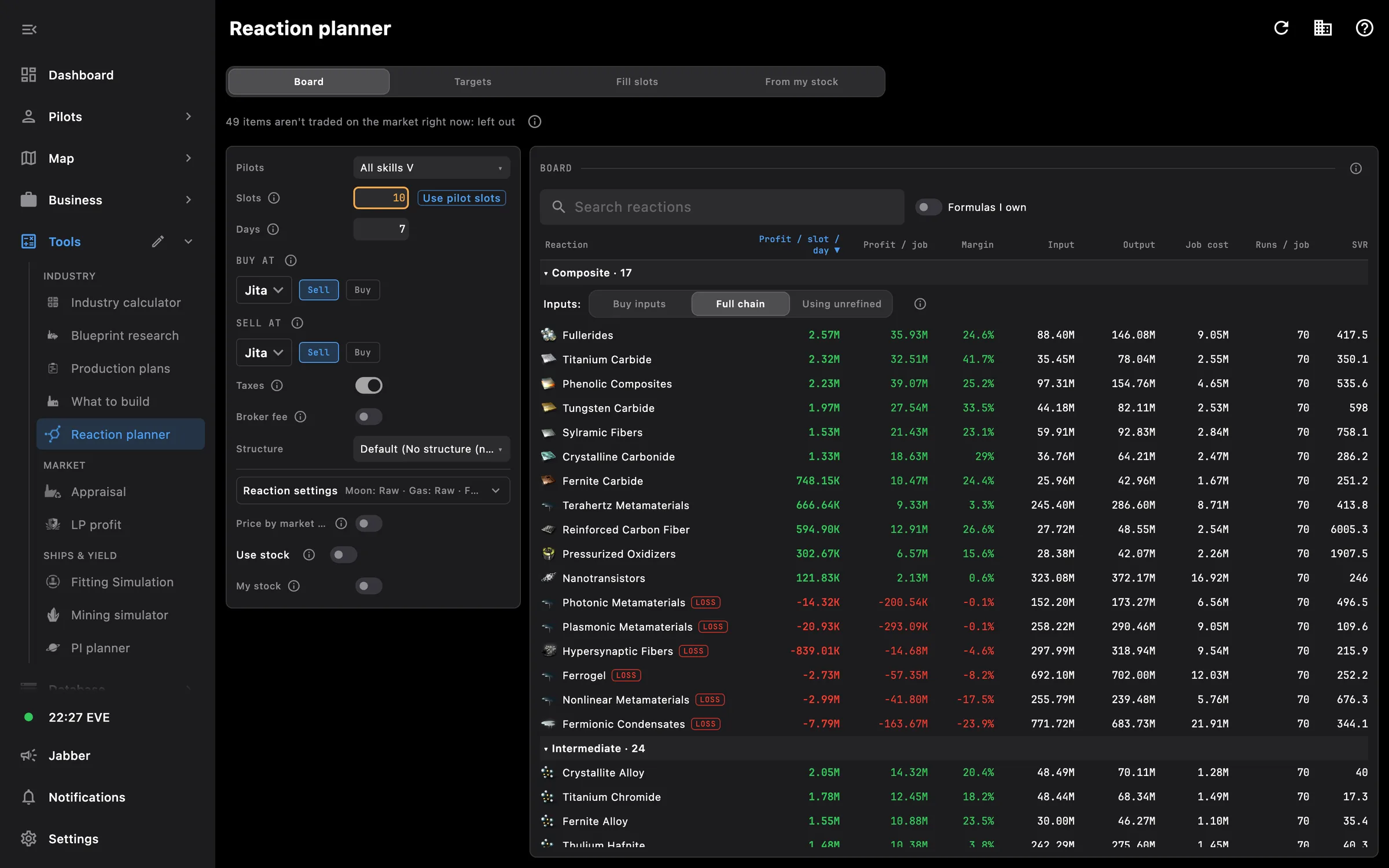
  • Board: every reaction with profit per slot per day, profit per job, margin, job cost and runs per job
  • Composites three ways: buy the inputs, run the full chain, or go through unrefined reactions where that pays more
  • Targets: pick what you want to make and get the jobs and inputs for the whole chain
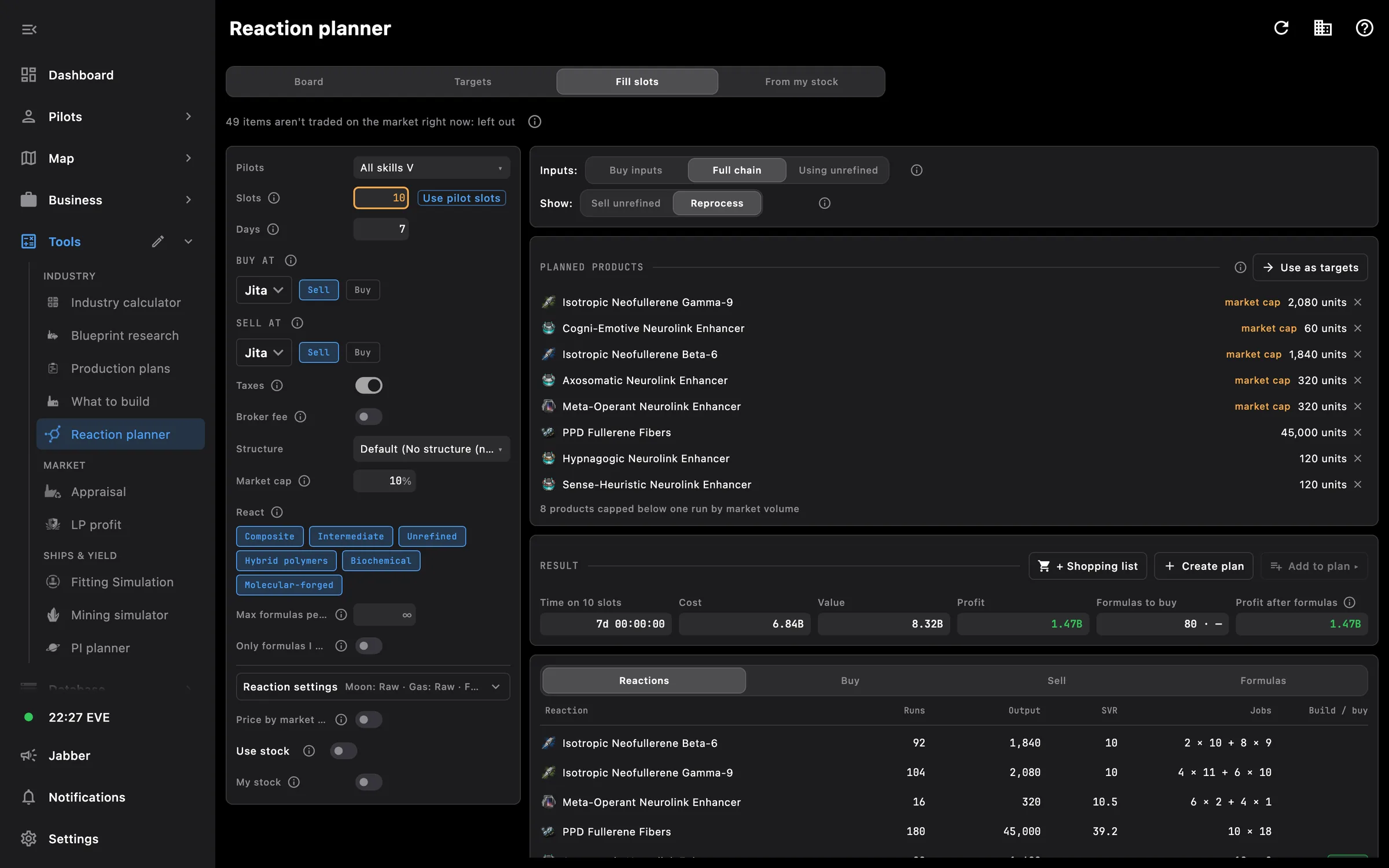
  • Fill slots: the best paying mix for the reaction slots you have free
  • From my stock: what to react from the materials in your hangars, corp ones included, within what the market can take
  • A chain diagram for each reaction shows what to build, step by step
  • Your pilots with their skills and slots, or All skills V
  • Buy at and Sell at: pick the hub and buy or sell orders for each side, with sales tax and broker fee
  • Your structure and its rigs counted in materials, time and job cost
  • Fuel blocks bought or built, moon ore and gas bought raw or compressed
  • Unrefined reactions in their own group, to sell or to reprocess
  • A row that only pays if your buy orders fill is marked

The planner works from the prices and market history stored on the Prices page and never downloads on its own. Results stay on screen while the app is open and recalculate only when you ask.

Access needed

Works without any access. Grant these to a pilot to get more:

  • Industry and mining — Jobs, mining ledger and blueprints
  • Skills — Skills and the training queue
  • Assets — Everything the pilot owns

You pick the areas when you log a pilot in and can add more later on the Access screen. How access works →

How to use it

  1. Update prices on the Prices page in Tools
  2. Open Reaction planner in Tools, pick your pilots or All skills V, your structure and the hubs you buy and sell at
  3. Read the Board to see what pays per slot, and open a reaction to see its chain
  4. Switch to Targets, Fill slots or From my stock to get a plan with jobs and inputs

Phone and PC

On the phone — the settings come first, then the board as cards, one reaction per card with its profit, margin and volume.

On the PC — settings and the board sit side by side, and a material flow diagram shows what every reaction takes and where it comes from.
More screens

Reaction board: reactions ranked by profit per slot per day
Fill slots: the best paying mix for the free reaction slots

See also

Something missing? Recent changes are in the patch notes, and you can ask on Discord.