← All features

Blueprint research calculator

Is ME10 worth it? Cost, payback and the recommended ME and TE
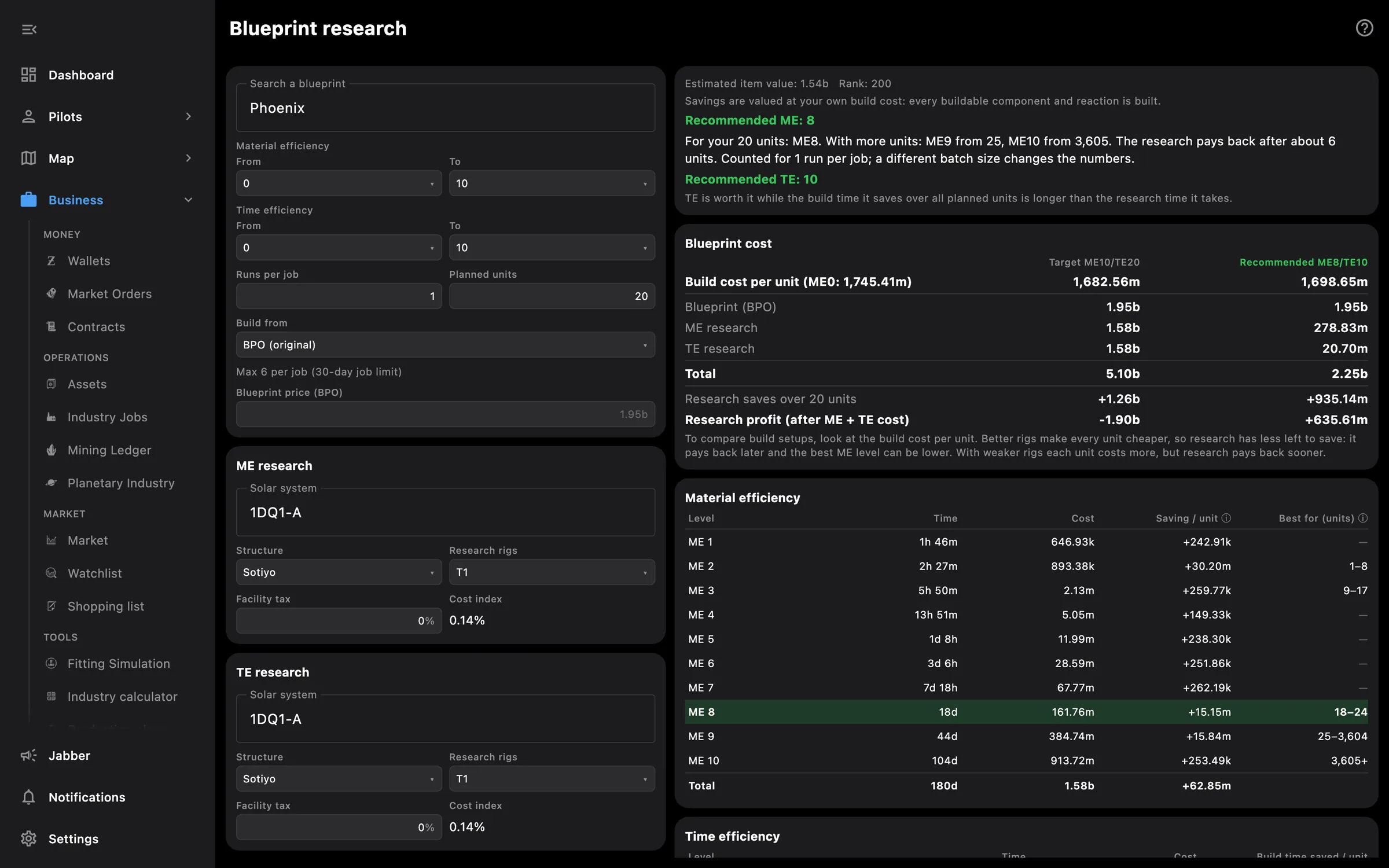
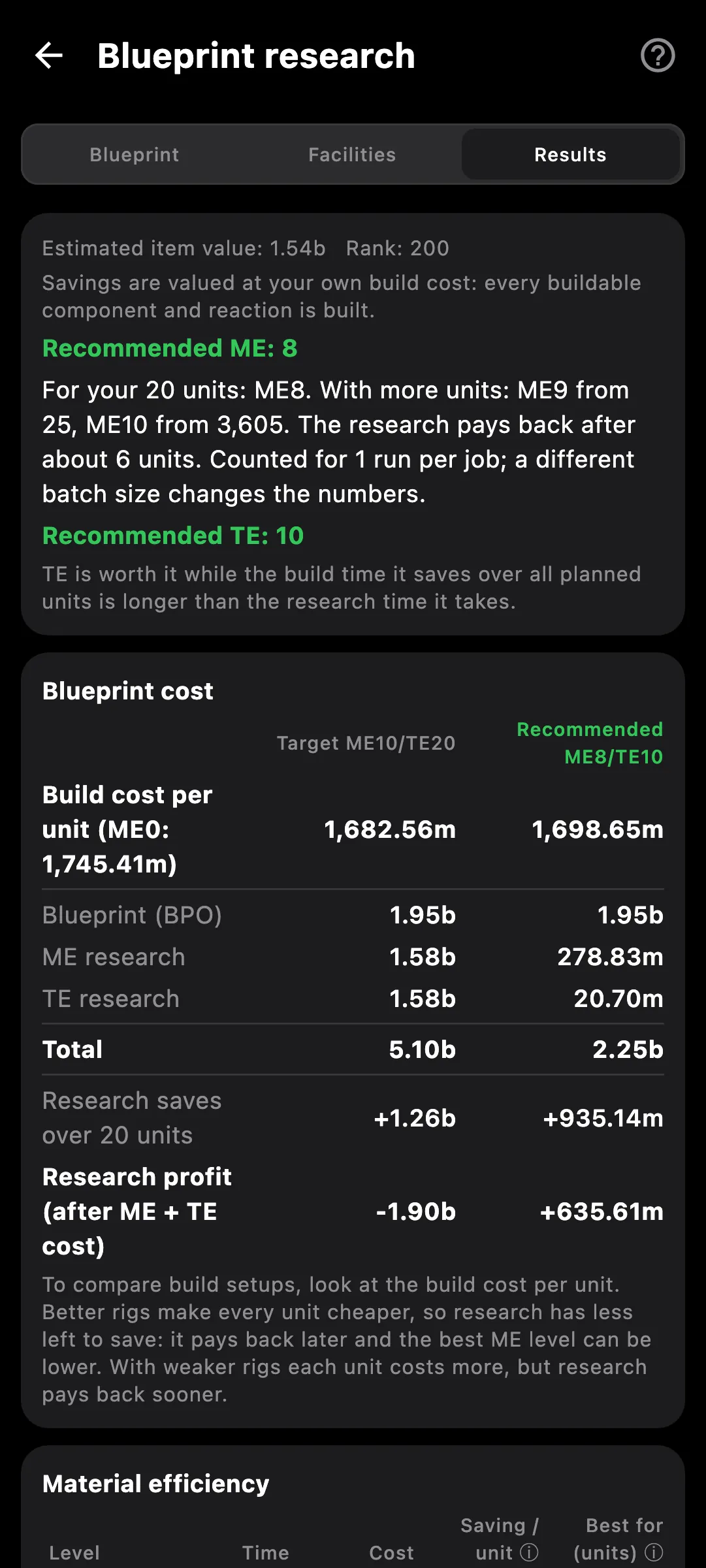
Blueprint research calculator: recommended ME8, cost and payback for each material efficiency level
Blueprint research calculator on a phone

What you get

Is researching this BPO to ME10 actually worth it? The calculator prices every research level against what it saves on your own builds, so you see the answer in ISK before you start a single job.

  • Cost and time of every ME and TE level, for T1 blueprints
  • Research time from the blueprint's rank, your structure, its rigs and your science skills
  • Research cost from the item value, the system cost index, the SCC surcharge and facility tax
  • Saving per unit at your own build cost, and the payback in units for each step
  • The recommended ME and TE for the number of units you plan to build
  • Rounding shown for your runs per job: that is why some levels pay back after a few units and others never
  • Separate ME and TE research facilities: system, NPC station or Raitaru, Azbel, Sotiyo, rigs and tax
  • BPO or BPC, your own build system and tax, total savings and net result
  • Blueprint value: the BPO's market price plus the research to reach your targets
  • Split into tabs on the phone; opens in its own window on the PC

The numbers are checked against the game client: a test blueprint researched to ME10 came out within 2 ISK of the in-game quote.

Access needed

Works without any access. Grant these to a pilot to get more:

  • Industry and mining — Jobs, mining ledger and blueprints
  • Skills — Skills and the training queue

You pick the areas when you log a pilot in and can add more later on the Access screen. How access works →

How to use it

  1. Open Blueprint research in Tools and pick a T1 blueprint
  2. Set the ME and TE you have now and the levels you are considering
  3. Choose the research facilities, the build system, runs per job and how many units you plan to build
  4. Read the table: cost and time per level, saving per unit, payback in units, and the recommended ME and TE

Phone and PC

On the phone — the inputs and the results are split into tabs so the table keeps its width.

On the PC — the calculator opens in its own window, with inputs and the results table side by side.
See also

Something missing? Recent changes are in the patch notes, and you can ask on Discord.