← All features

Planetary industry New planner

Plan colonies for the whole fleet, then keep them running: what to build, where, and what to haul
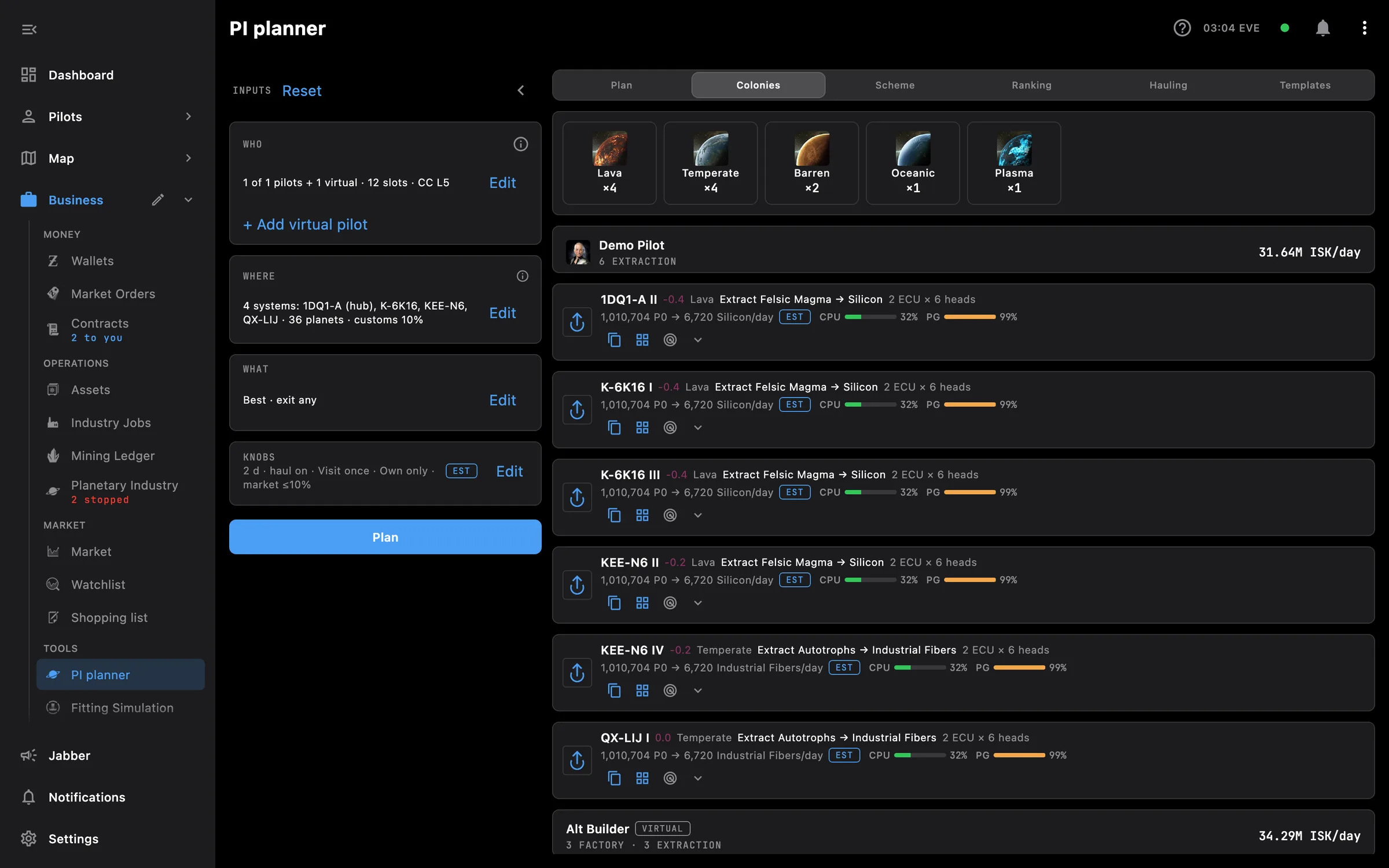
PI planner on desktop: inputs on the left, the planned colonies per pilot with roles, output per day and CPU and PG fit
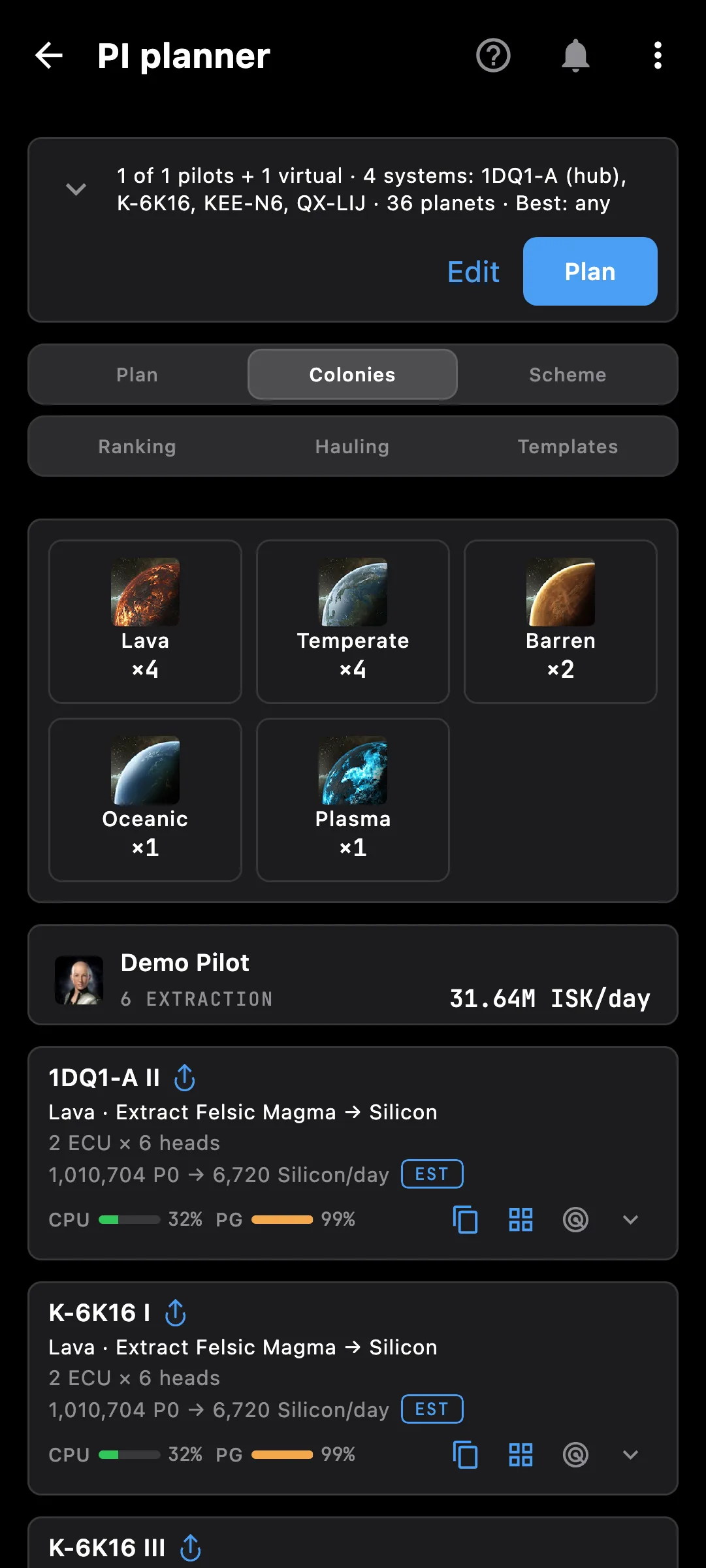
PI planner on a phone: planet types in the plan and each pilot's colonies with role, output per day and CPU and PG fit

The PI planner

Tell it who flies, where they can build and what you want out, and it plans every colony from scratch: which planet each pilot takes, the extractors and factories on it, and what moves between them.

  • Your pilots with their own planet slots and Command Center level, plus virtual alts you are thinking of training
  • Where: Only these systems (pick systems by hand and one hub), a system and its neighbours within a few jumps, a constellation or a region; a wormhole stands alone
  • What: the best paying product, your own list of products per day, a tier preset, or the PI a blueprint needs for as many runs a day as fit
  • Factories go to the hub system and are packed onto as few pilots as possible; extraction goes where the best P0 is
  • Real extractor cycles for the program length you choose (1 to 14 days or your own hours), and whole units everywhere
  • When storage fills: visit once per program and run each colony at the share its storage lasts, or run flat out and visit as often as storage needs
  • Haul between planets on or off: off keeps every colony self-contained for fewer trips
  • Fleet ISK a day, ISK per login, setup capital and payback, with a market cap so you do not flood a thin market
  • Ranking of every product your free slots can make, with each step of the chain priced
  • Hauling runs per pilot with what to load at the hub, and a What to do in game checklist you tick off
  • Every colony as a template you copy into the in-game planner, a template library to browse, and your own layouts to import

Yields without a scan are estimates and carry an EST badge; type your own scan or yield and the plan uses it.

The colonies you run

  • Today's check: which colonies stopped or need a visit, and what to do about it
  • Fleet balance per day: what the fleet makes, uses and sells, with your own supply worked out from P4 down
  • Each colony with its production chain, a simulation of the program and a Deliveries tab: what to load into each pad, kept as your delivery plan
  • An alert when a colony stops

Access needed

The planner works without any access. Grant these to a pilot to get more:

  • Skills — planet slots and Command Center level for the planner
  • Planetary interaction — Colonies and customs offices

You pick the areas when you log a pilot in and can add more later on the Access screen. How access works →

How to use it

  1. Open Business, then PI planner in Tools
  2. In Who, pick your pilots and add virtual alts if you like
  3. In Where, choose the systems and the hub; in What, the goal; in Knobs, the program length and how to handle storage
  4. Press Plan: nothing re-plans on its own, so change what you like first
  5. Read the plan, open Colonies for each pilot's planets, copy each colony's template into the game, and follow Hauling and the in-game checklist

Phone and PC

On the phone — the inputs fold into one line with a Plan button, and the results sit in tabs underneath.

On the PC — the inputs stay in a column beside the results, and the scheme of the whole fleet's flow can fill the window.

See also

Something missing? Recent changes are in the patch notes, and you can ask on Discord.