Your EVE Online,
everywhere.
Track your characters, skills, wallet, market orders, fittings, and corporations on phone, tablet, and desktop. Free, no ads, no in-app purchases.
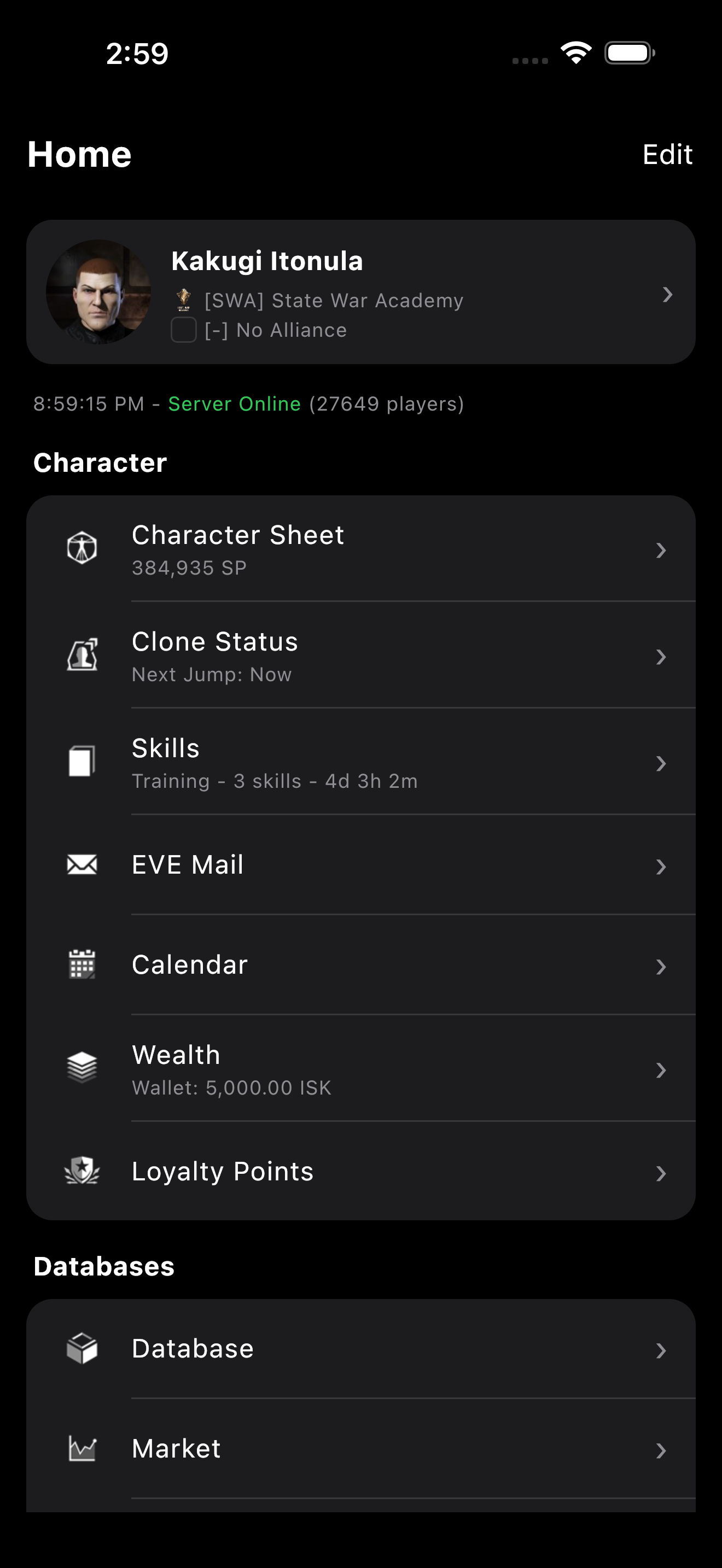
Track your characters, skills, wallet, market orders, fittings, and corporations on phone, tablet, and desktop. Free, no ads, no in-app purchases.
Built to replace the old EVE Nexus companion. Fully multiplatform, native on every device.
Multiple characters with quick switching. Live skill queue timers, training plans, and missing-skill detection for any fitting.
Wallet journal, transactions, market orders, contracts, mining ledger, loyalty point store, and personal assets across all stations.
Full DPS, EHP, capacitor and resource simulation. Imports from EFT, DNA, and killmails. Mutaplasmid preview.
zKillboard integration with full kill details, attacker breakdowns, and one-tap conversion of any killmail into an editable fitting.
Industry jobs across all characters. Planetary Interaction overview with extractors, factories, and real-time timers.
Full item browser with depth charts, price history, blueprint materials, NPC/faction database, and universe search.
Add your corporation as a separate entity. Corp wallet and member list for CEOs and Directors.
Wormhole database, Incursions, Faction Warfare, Insurgency, Sovereignty, and an agent finder with full filter drill-down.
Secure login via EVE Online's official SSO (OAuth 2.0 + PKCE). Your password never leaves login.eveonline.com.
Available on every platform you play EVE from. Free forever.
iOS is still in beta — it installs through Apple's TestFlight, not the App Store, while the review finishes.
Requires Android 7.0 or later.
The App Store release is still in review, but you can install the app on your iPhone or iPad today through Apple's official beta program. It is free, and updates arrive automatically.
Beta slots are limited by Apple. Requires iOS 18.2 or later.
The desktop builds are not signed by Microsoft yet, so SmartScreen warns about an unknown publisher on first launch. This is expected — here is how to proceed, you only need to do it once:
Signing certificates are planned but not yet in place. The app itself is identical to a signed build — only the publisher signature is missing.
The desktop builds are not signed by Apple yet, so Gatekeeper blocks the app on first launch. This is expected — here is how to allow it, you only need to do it once:
sudo xattr -rd com.apple.quarantine /Applications/EvEmpire.appSigning certificates are planned but not yet in place. The app itself is identical to a signed build — only the publisher signature is missing.

Eve Empire is free forever. If it helps you in New Eden, send ISK in-game to Cydal — it directly supports continued development. Thank you! o7
Eve Empire is built in my spare time, and these pilots have chosen to support that journey. Thank you for believing in the project. o7



A single shared codebase runs natively on iOS, Android, macOS, and Windows. Compose Multiplatform UI, Ktor networking, and SQLDelight on top of EVE's official SDE and ESI APIs.